💻 PRO Feature — Web Companion

Your entire testing setup, on desktop.

QA Genie Studio isn't just a phone app. Sign in with the same Google account and every suite, dashboard stat, and workspace bug is right there in your desktop browser — no setup, no re-uploading.

Open Web Companion ↗ See Screenshots

One account, every screen

Start on your phone, continue on your desktop. Everything follows your Google account automatically.

🔄

Automatic sync

Same Google account — instant sync. Generate test cases on your phone during a standup, review and export them from your desktop browser later. Suites, dashboard stats, and workspace bugs travel with you.

🖥

Desktop-sized workspace

A wide navigation-rail layout built for big screens: Generate, Suites, and Dashboard tabs with room to breathe. Long test suites and exports are far easier to review on desktop.

📄

Generate, review, export

The full workflow runs in any modern browser — describe a feature, get structured test cases, export to Excel, CSV, PDF, or Xray-compatible JSON. No install, no setup.

🔒

One PRO, every device

A single PRO purchase unlocks the Android app and the Web Companion together. Sign in with the same Google account on desktop and PRO carries over automatically.

Testing is a team sport here

The Workspace tab puts a shared Bugs board and Team Suites side by side — Generate → Collaborate → Export, so small teams never need Jira.

🐞

Bugs tab — shared bug board

File bugs into a team board with severity, priority, and status. Assign with team roles, escalate when stuck, and discuss with comments, attachments, and a live activity feed.

📁

Suites tab — run as a team

Import a generated suite and run it case by case — pass, fail, or skip. A failed case becomes a linked team bug in one tap, and re-running its case verifies the fix. Full run history and pass-rates included.

Feel the web app

A look at the Web Companion running in a desktop browser.
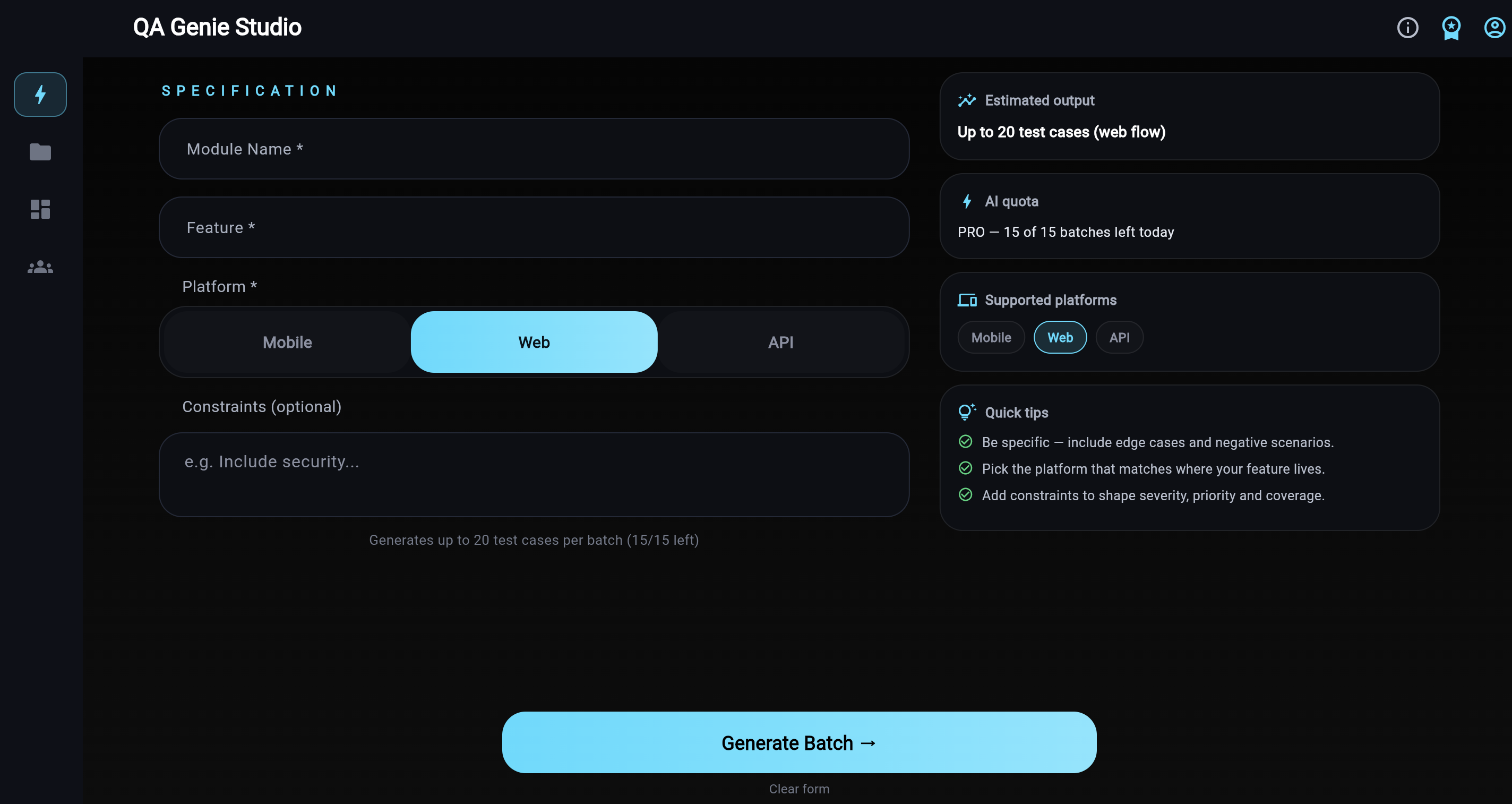
Web Companion — Generate test cases on desktop
Generate Describe a feature and generate structured test cases from your desktop browser.
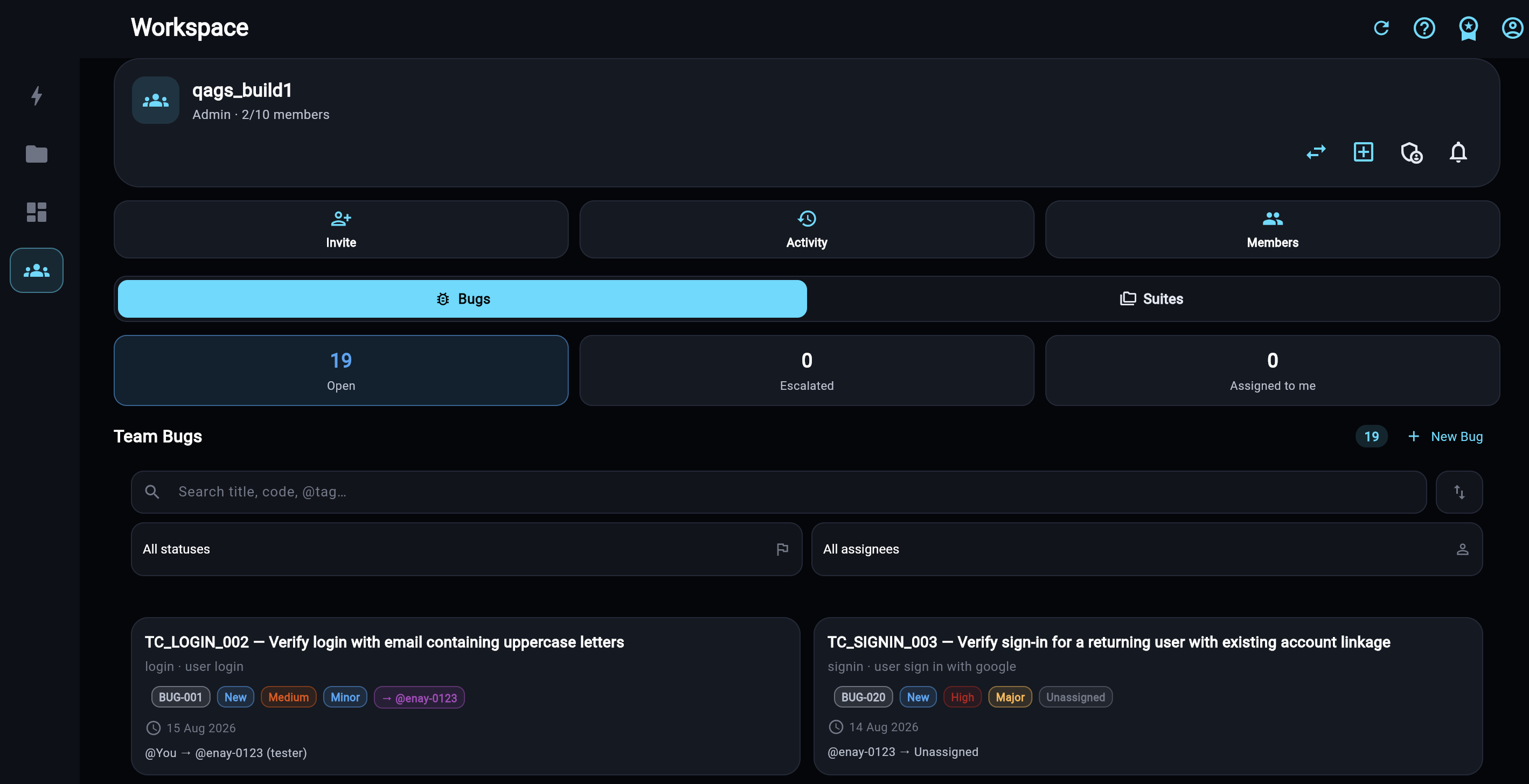
Web Companion — Team workspace on desktop
Team Ready Workspace Generate → Collaborate → Export. Team bugs with status and severity, shared suites, roles, and run tracking — so small teams never need Jira.
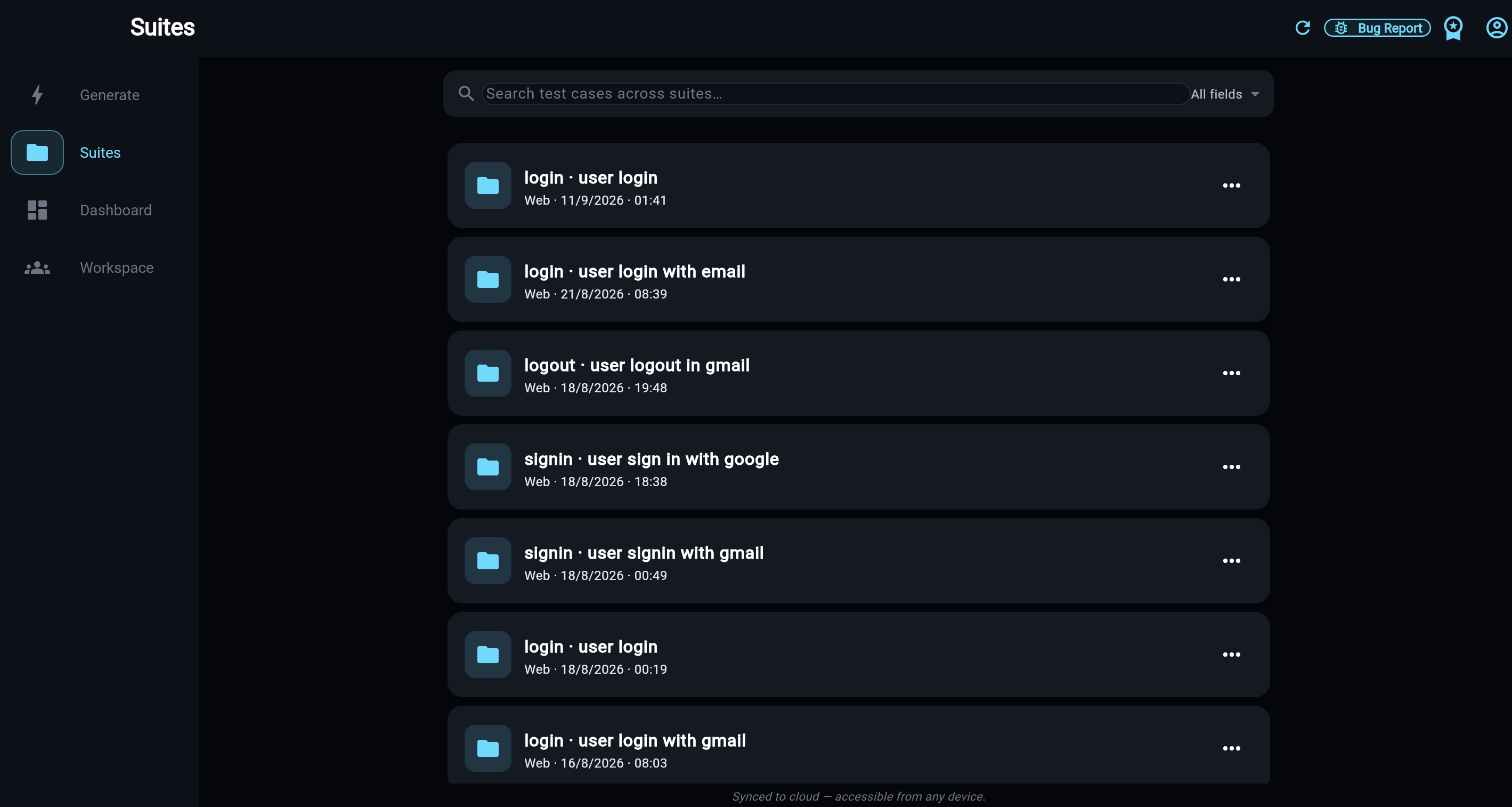
Web Companion — Test suites list on desktop
Suites Every suite synced to cloud — browse, search, and revisit from any device.
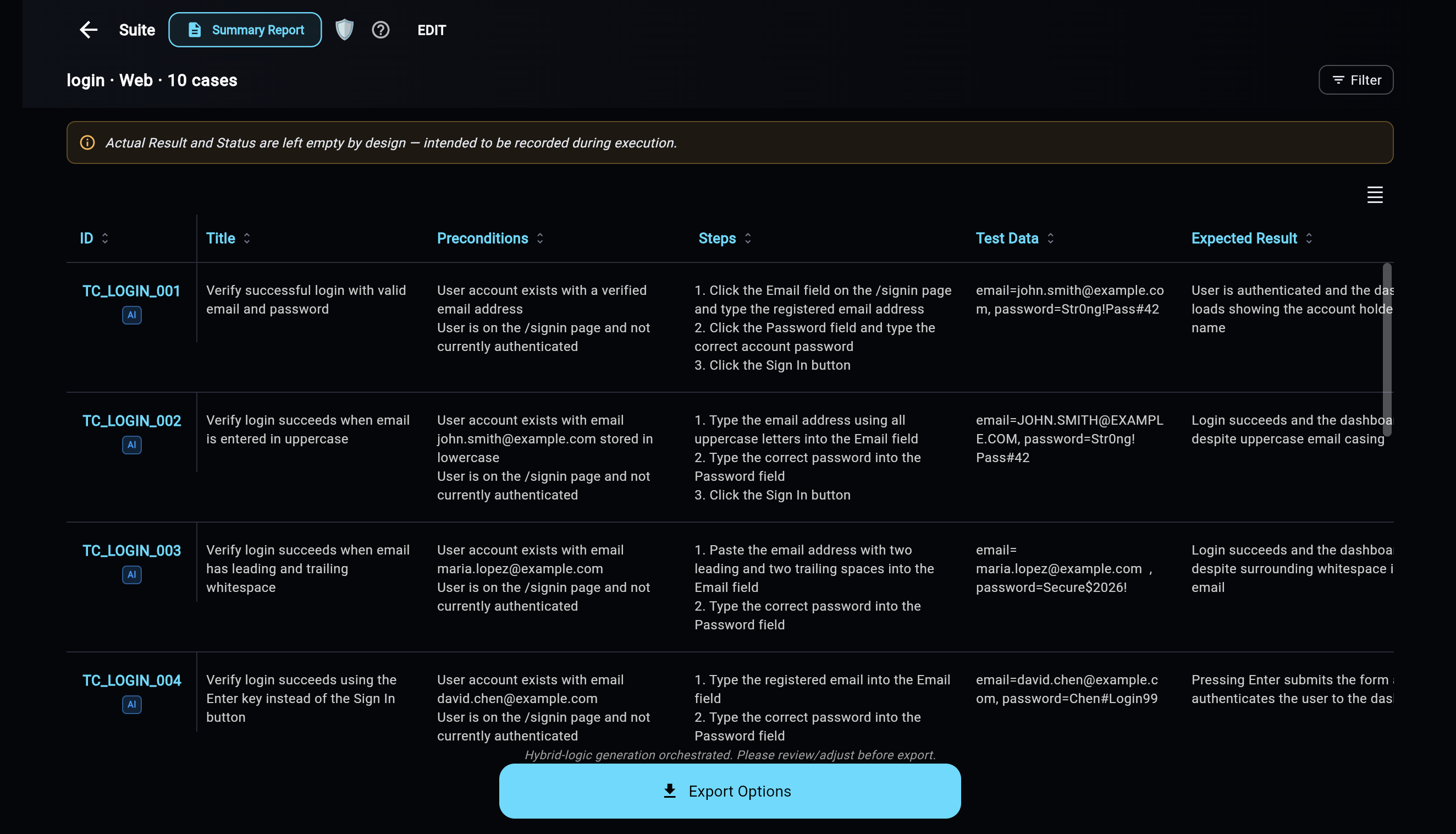
Web Companion — Suite detail with test cases on desktop
Suite Detail Review AI-generated cases with steps and test data, then export in one tap.
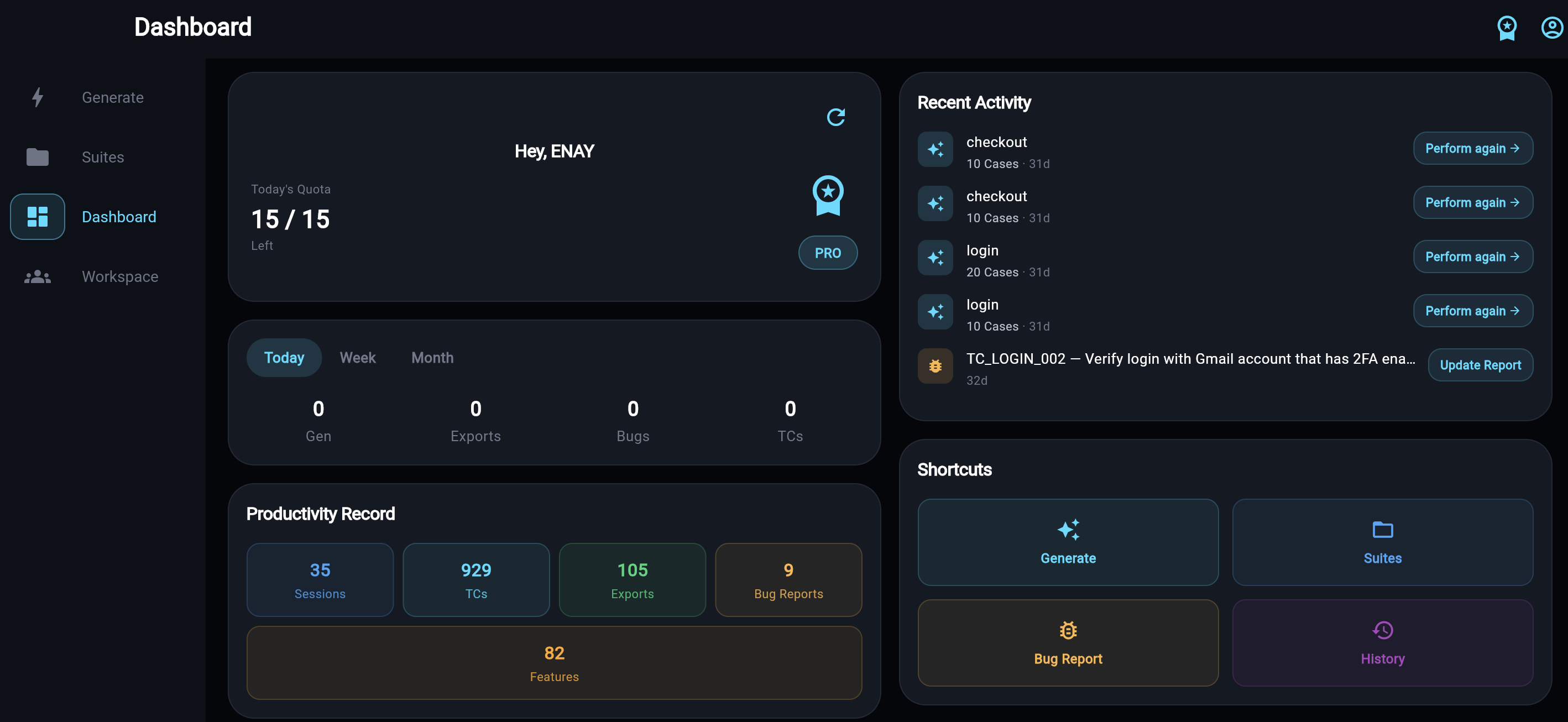
Web Companion — Productivity dashboard on desktop
Dashboard Quotas, recent activity, and productivity stats at a glance.

Open it in 3 steps

1

Go PRO

Upgrade to PRO inside the Android app — one purchase for every device.

2

Open the link

Visit app.qagenies.com in any modern desktop browser.

3

Sign in

Use the same Google account — PRO unlocks automatically.

Web Companion is a PRO feature

Core (free) users see the paywall screen with a Refresh Access button after upgrading. One purchase, all your devices — phone, tablet, and desktop.

Take your QA to the big screen

Get PRO in the Android app, then open the Web Companion from any desktop browser.

Open Web Companion ↗ Get PRO on Google Play