Your QA flow,
in one studio.

Generate test cases, organize your work, track bugs, collaborate with your team, and continue seamlessly on the web—all from one place.

One workspace for your QA journey.

QA Genie Studio isn't a single tool. It's a connected set of modules that work together — generate tests, organize suites, log bugs, and move them through your team, all in one flow.

Generate Organize Collaborate Report Analyze Continue
Generated Test Cases
12 cases
Login flow
High Passed
Checkout
Medium Passed
Session timeout
High Blocked
Profile settings
Low Passed
Test Suites
24 suites
Checkout Flow
12 cases
Login & Auth
18 cases
Payments
9 cases
Onboarding
7 cases
Team Workspace
Workspace
BUG-1021 New High Major
→ @dev
BUG-1018 In Progress Medium Minor
→ @qa
BUG-1012 Verified Low Trivial
→ @dev
BUG-1009 Critical Critical Blocker
Unassigned
Bug Reports
9 bugs
BUG-1021 · Payments
Critical Open
BUG-1018 · Login
Major In Progress
BUG-1012 · Export
Minor Resolved
BUG-1009 · UI
Minor Resolved
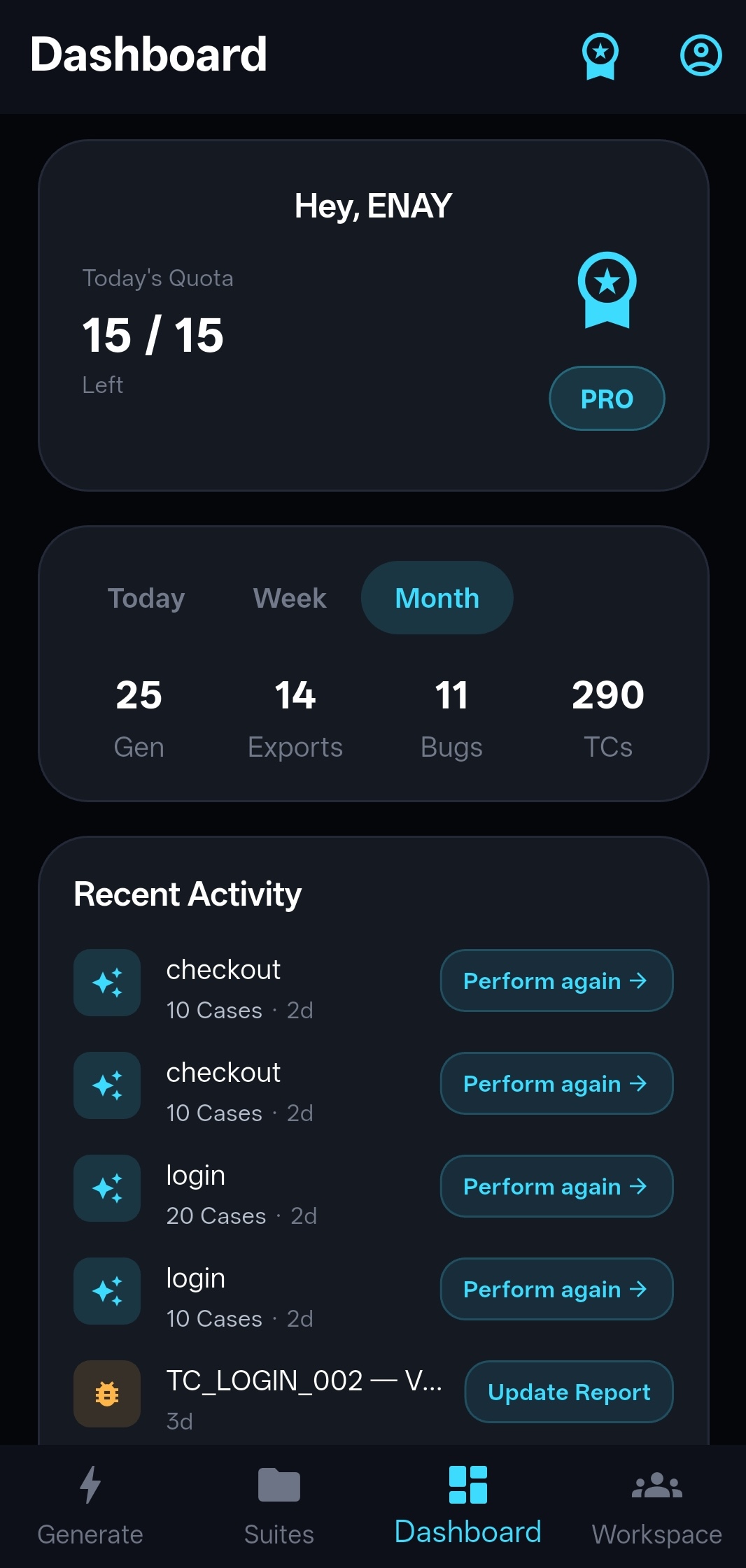
Productivity Dashboard
Weekly
48
Cases run
9
Bugs found
32
Exports
Web Companion
Desktop
Your suites
Synced with Android
Same Google account
Generated Test Cases
⚡ New — Team Workspace

Turn testing into a team sport.

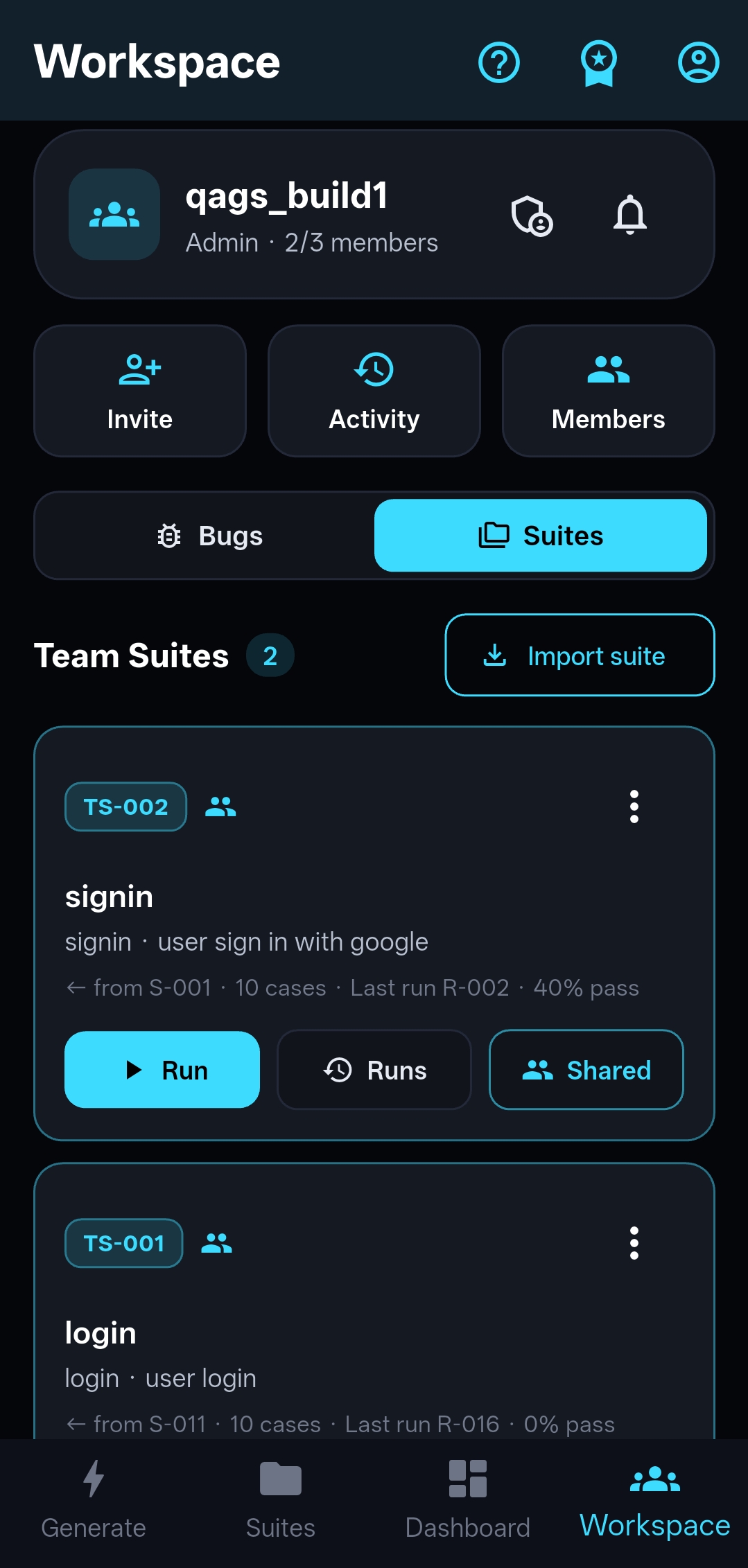
QA Genie Studio ships with a real workspace. File bugs into a shared board, assign and escalate with team roles, and keep everyone on the same page — right next to your test cases.

  • ✅ Shared bug board with team roles
  • ✅ Severity, priority, status & escalation
  • ✅ Comments, attachments & activity feed
Learn more ↗
🌐 New — Web Companion

Your entire testing setup, on desktop.

QA Genie Studio isn't just a phone app anymore. Sign in with the same Google account and every suite, dashboard stat, and workspace bug is right there in your desktop browser — no setup, no re-uploading.

  • ✅ Same Google account — instant, automatic sync
  • ✅ Generate, review, and export on any browser
  • ✅ One PRO purchase unlocks every device
Open Web Companion ↗

See it in action

Clean, dark-themed interface designed for focus.
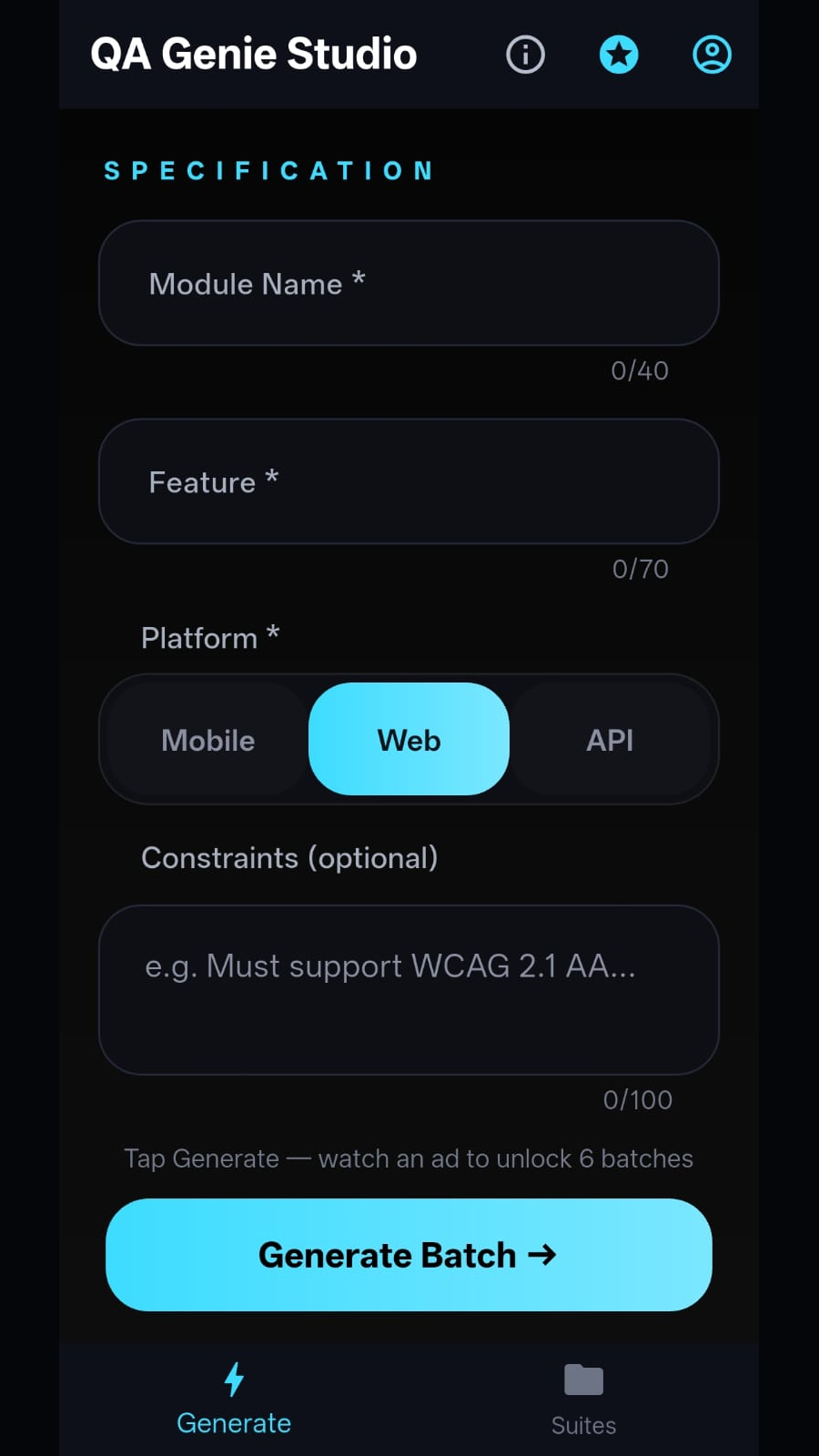
Generate test cases screen
Generate Describe what to test, pick a platform, and generate.
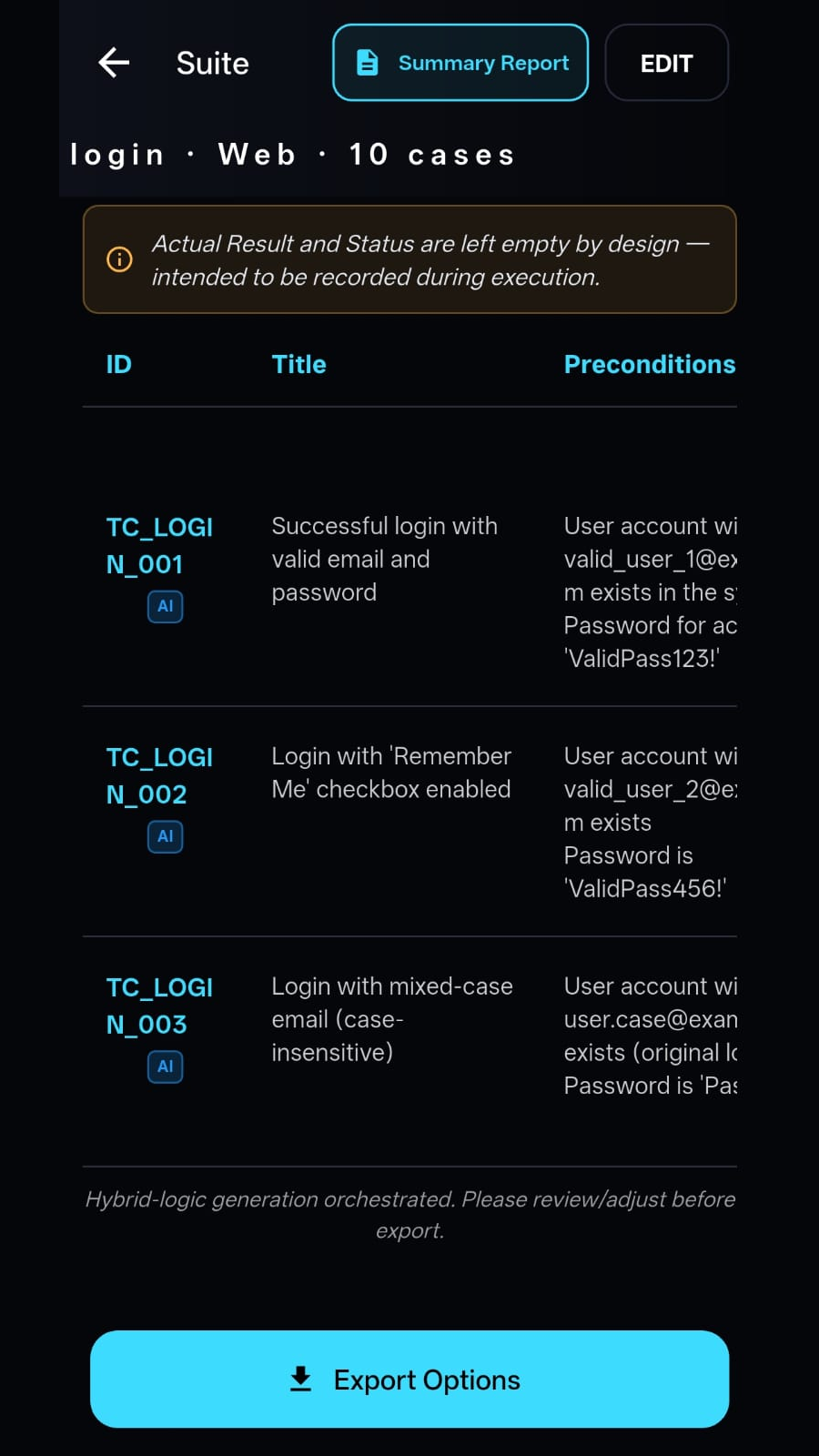
Test cases view
Review & Edit Browse, edit, and reorder generated test cases.

Export options
Export Export as Excel, CSV, PDF, or JSON — your choice.
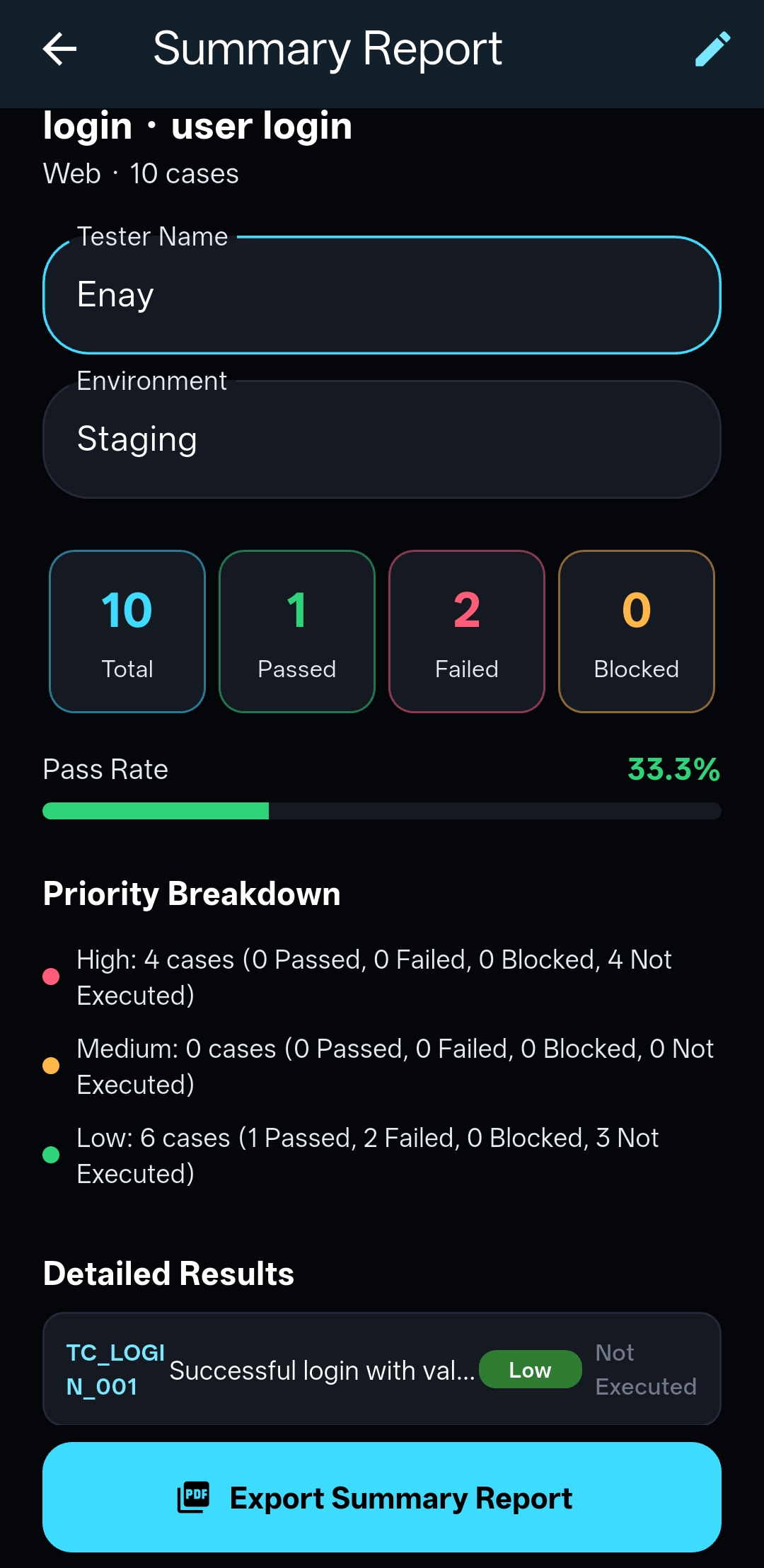
Summary report
Summary Report Generate a full report of your test suite in one tap.
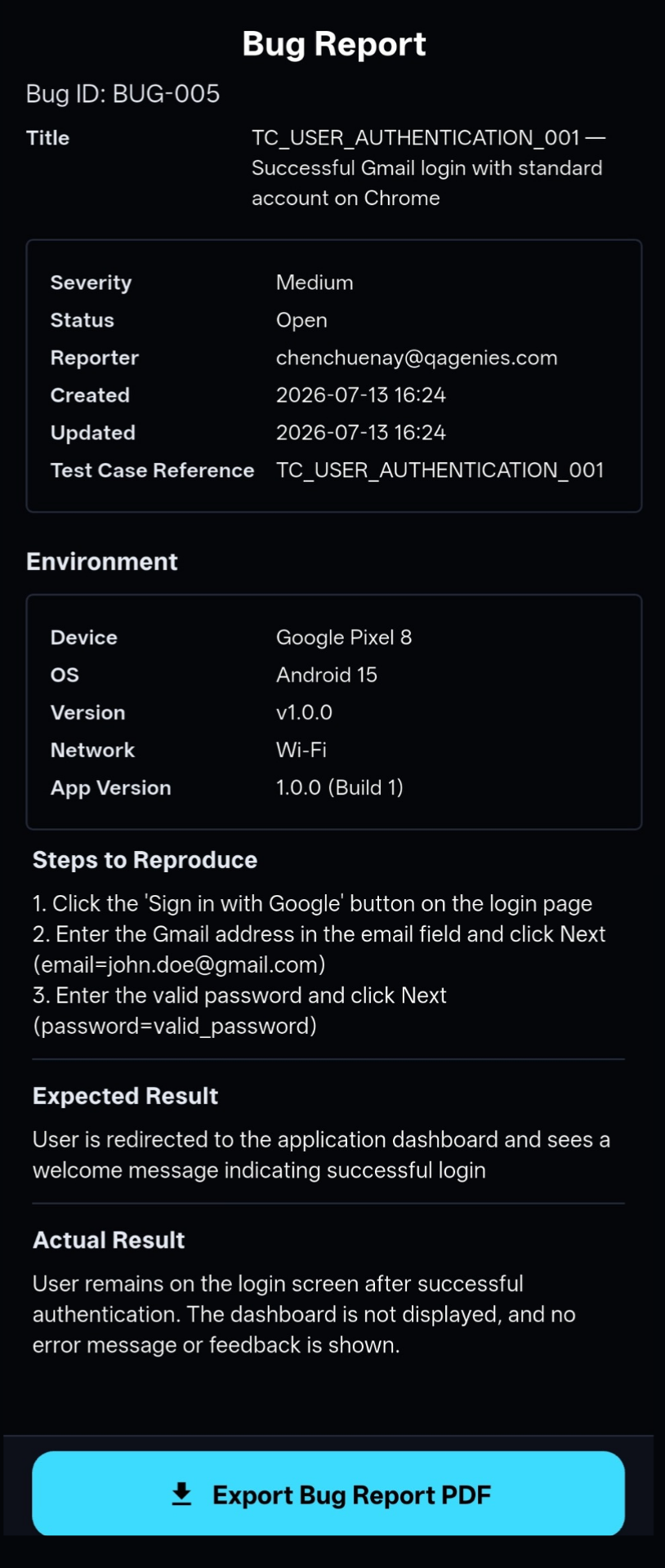
Bug report PDF preview
Bug Reports Report issues with full details and export as PDF, Excel, CSV, or JSON.
A look at How QA Genie Studio Works

Watch how QA Genie Studio turns a simple idea into a structured test suite — in under a minute.

QA Genie Studio demo video thumbnail

Three simple steps

No setup, no configuration. Just describe and generate.

1

Describe

Tell QA Genie Studio what you're testing — a login flow, a payment gateway, an API endpoint. Natural language works.

2

Generate

Describe what to test, pick a platform, and QA Genie Studio generates a structured test suite with functional, edge case, and error scenarios — tailored to your platform.

3

Export & Ship

Review, edit, and export. Share with your team or import into your test management workflow.

Start free, scale when ready

Start free, upgrade when you need more.

Free

CORE

Default tier for all users

  • 6 ad-rewarded generations per day
  • Up to 10 test cases per generation
  • 50 exports per day
  • Bug Tracking/Reports
  • Productivity Dashboard — basic view
  • Team Workspace & shared bug reports: basic
Paid

PRO

For power users and teams

  • 15 generation batches per day
  • Up to 20 test cases per batch
  • Ad-free experience
  • Unlimited exports
  • Bug Tracking/Reports
  • Productivity Dashboard — full stats & trends
  • Team Workspace & shared bug reports: Full Acces
  • Web Companion — your account on desktop
Up to 300 Test Cases per Day

Why QA Genie Studio in a world of free AI?

Look closer ↗

Ready to simplify your testing?

QA Genie Studio is now live on Android — and on the web for PRO members. Download it free on Google Play.

★ Get it on Google Play

What's next for QA Genie Studio

Features in development to make testing even more seamless.

📈

Execution Trend Chart

Visualize test execution trends over time to spot patterns and regressions.

Constant Refinement

Every update brings better performance, smarter generation, and more.

My goal is to build a tool that supports your QA workflow — from planning to reporting.
Enay Kumar
Creator
Building QA Genie Studio — a workspace that grows with every stage of your QA journey